Participating in a NDP Data Challenge
Participating in NDP Data Challenges is an excellent opportunity to collaborate on the development of scientific workflows and explore innovative solutions to complex problems.
If you're looking for a comprehensive example of how to participate in a Data Challenge, and want to try one yourself, check out this tutorial.
Joining a Data Challenge
- Log in to NDP: Make sure you have an active account and the necessary credentials to access the platform. If you haven't registered with NDP yet, follow these instructions.
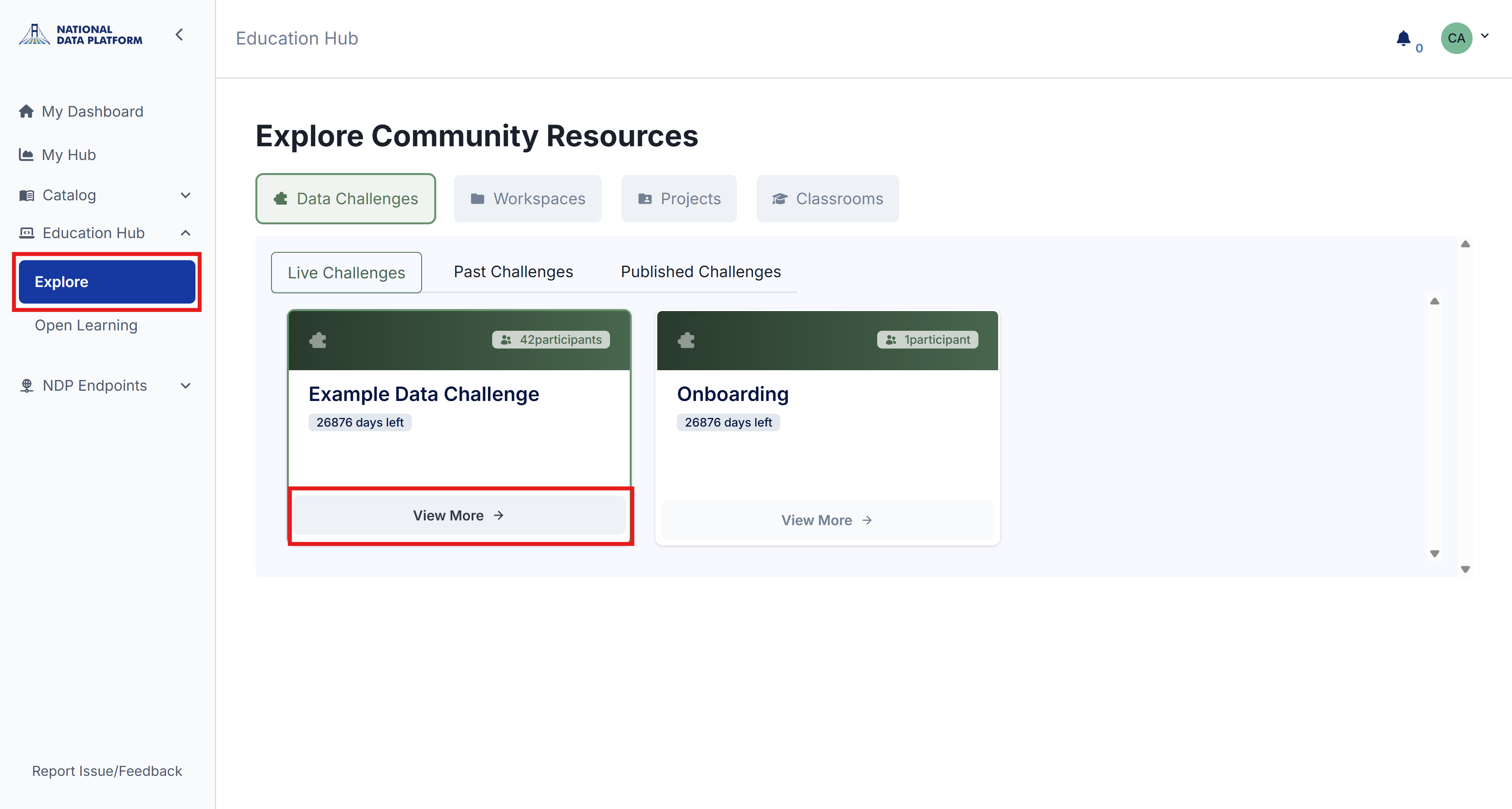
- Explore Challenges: Navigate to the Education Hub and select Explore. Challenges are listed according to their publication dates.
-
Select a Challenge: Once you find a challenge that interests you, click View More to view its details.
-
Review Information: Carefully read all the details and instructions before joining a challenge.
-
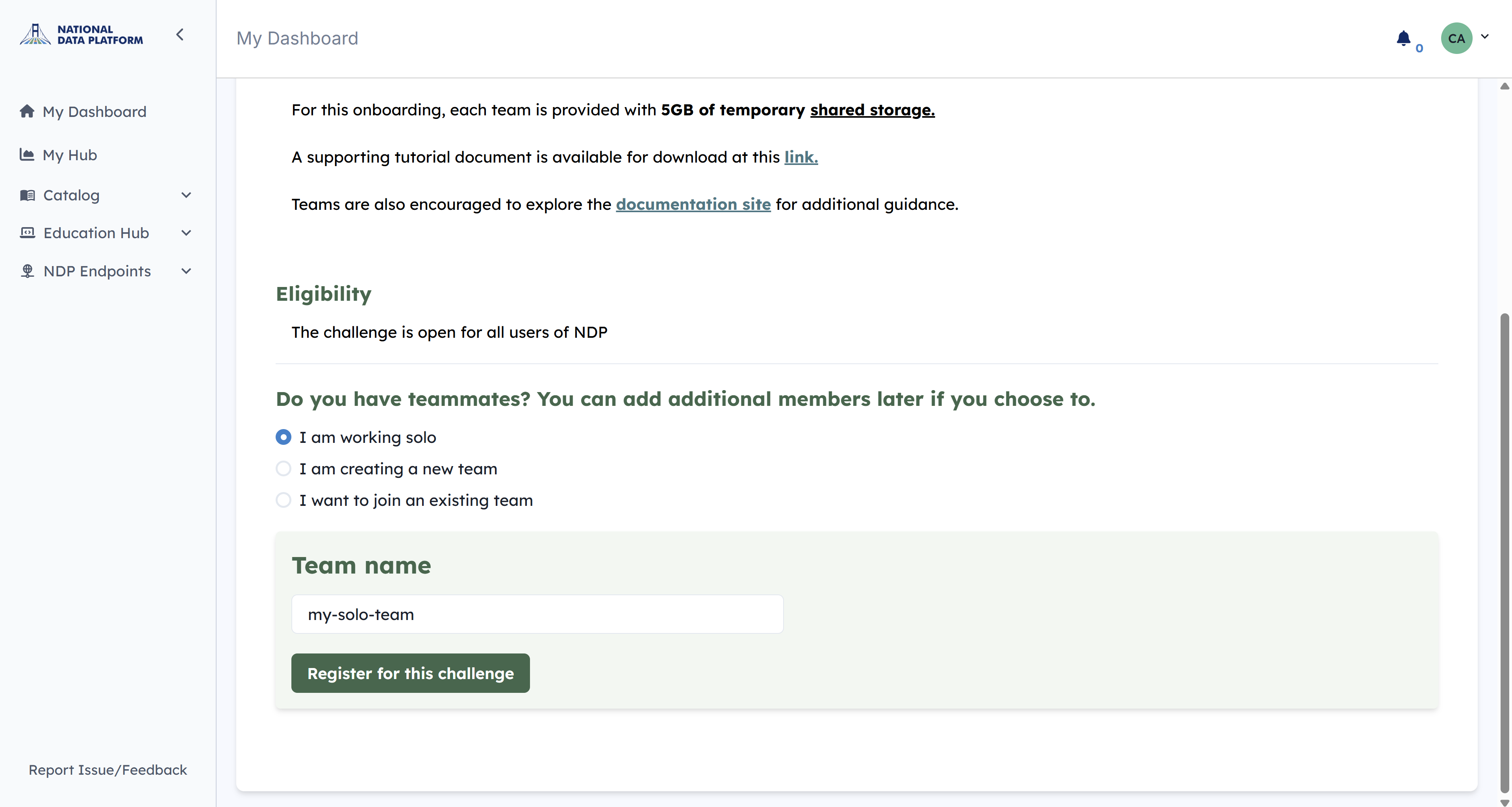
Join the Challenge: Once you have decided you want to join the Data Challenge, click Register for this Challenge.
Choose one of 3 options:
- I am working solo: Enter a name for your solo team and click Register for this challenge.
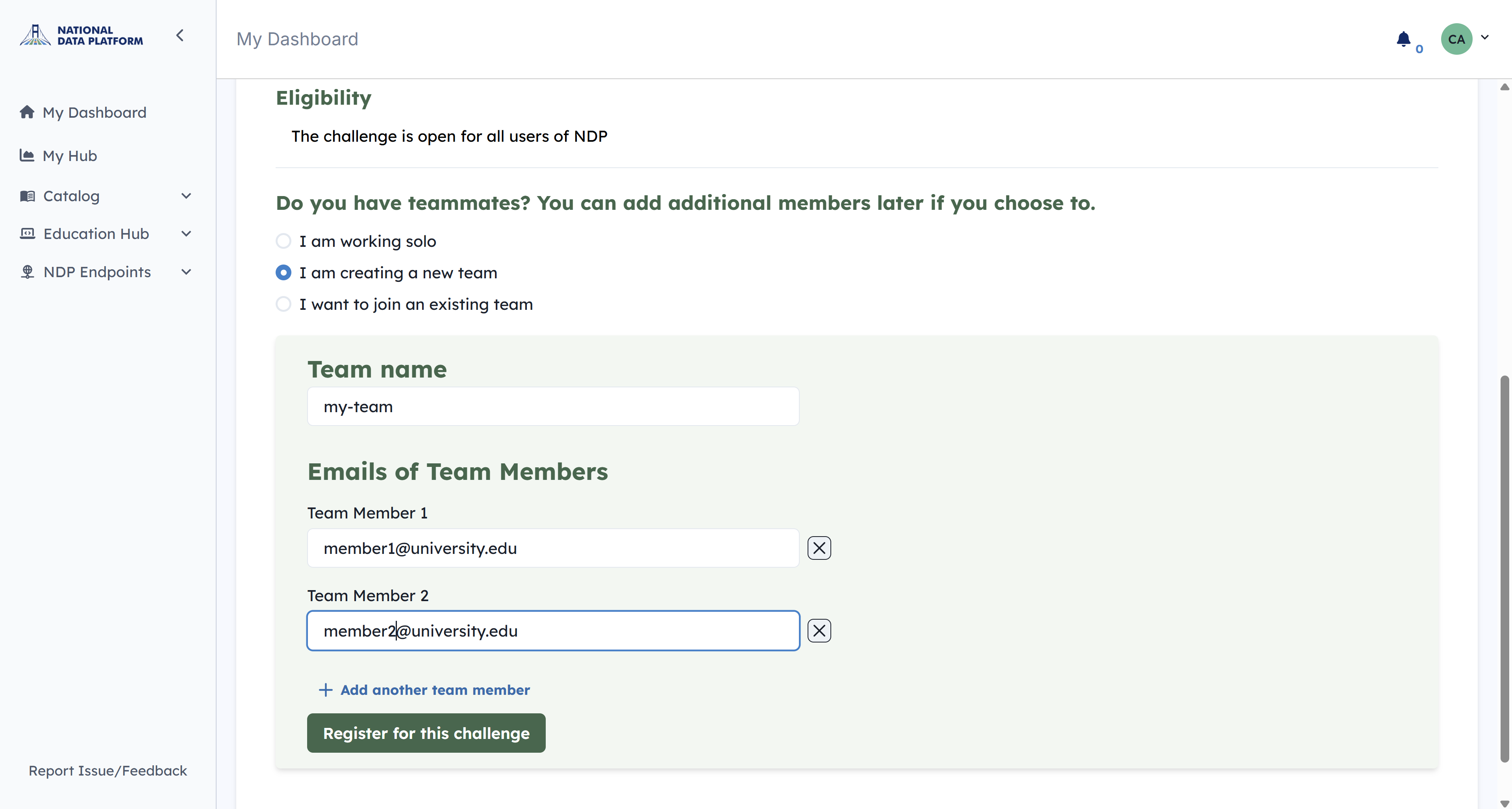
- I am creating a new team Enter a team name and add the email addresses of your team members. All members must be registered on NDP before they can be added to a team (unregistered emails will result in an error). You can edit the team member list at any time.
- I want to join an existing team: Contact an active team and ask them to add you.
After joining a data challenge, you will have access to its content and workspaces. If you’re unfamiliar with NDP workspaces, we highly recommend reviewing this tutorial to get started.
Shared Storage
When you join a challenge, your team will receive a shared folder when you launch JupyterHub. The folder will be tagged with your team's name. Any changes made to this folder are visible to all team members and persist across sessions.
- Coordinate File Modifications: Shared storage does not support version control, so avoid simultaneous file edits to prevent conflicts.
- Optimize Storage Usage: Use shared storage for frequently accessed code or partial data products essential to your workflow.
- Avoid File Overwrites: Establish clear team protocols for modifying files to minimize risks of accidental data loss.
- Review the PVC Policy