Adding Teaching Assistants to classrooms
Teaching assistants can be added to a classroom under two different roles:
- Admins — Have full control over the classroom, including making edits, adding workspaces and curated catalogs, and managing all other classroom functions. This is recommended for lead TAs.
- Evaluators — Have view-only access to the classroom, intended for evaluation and grading purposes. This is recommended for grading TAs.
To add these roles to your classroom:
1 - Make sure your intended users are registered in NDP.
2 - Go to your Education Hub (Education Hub → My Education Hub) and open your classroom.
3 - Click Add members under the group (Admins or Evaluators) to which you want to add users.
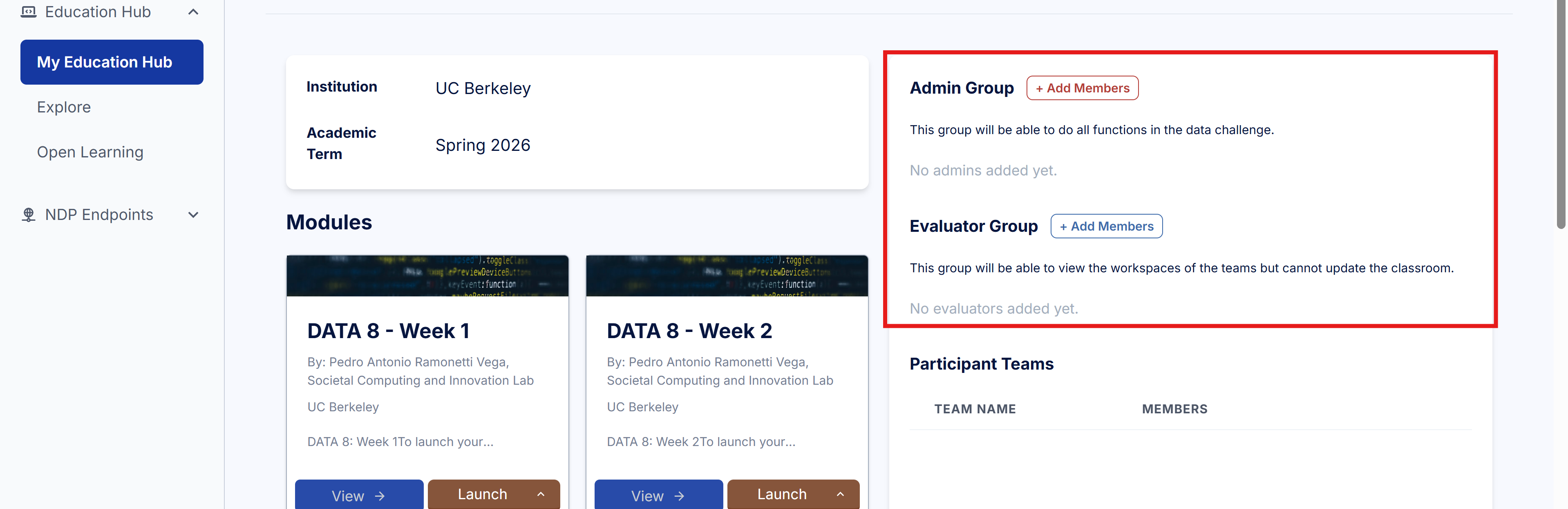
4 - Enter the email addresses of the users you want to add.