Adding students to classrooms
Students are placed in a classroom as groups. This allows them to work together and share resources within JupyterHub.
1 - Before adding students to groups, they must register in NDP.
2 - Go to your Education Hub (Education Hub → My Education Hub) and open your classroom. Once inside, click the Edit button at the top right.
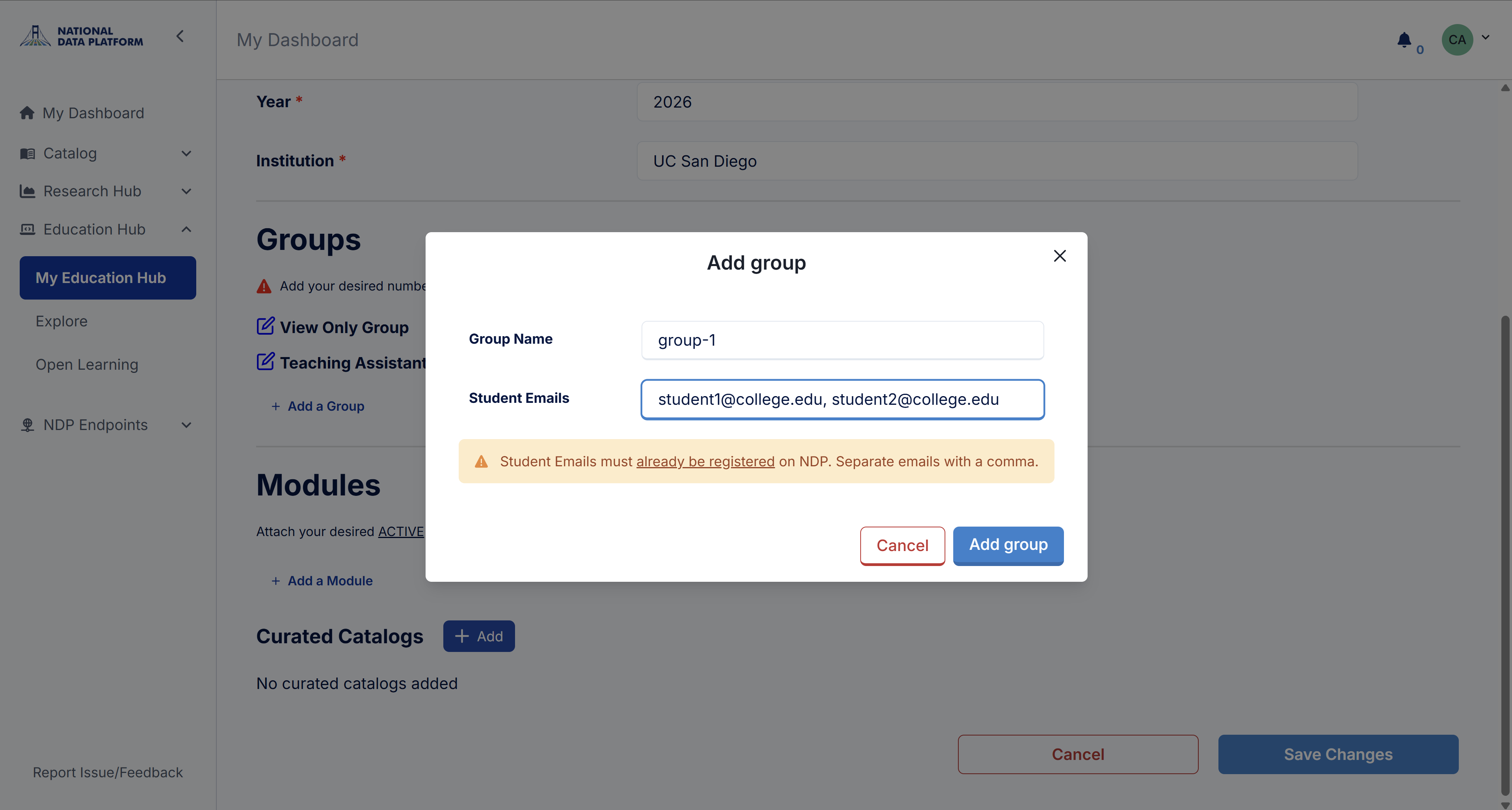
3 - In the Groups section, click Add a Group.
4 - For each group, assign a unique name and a list of student email addresses separated by commas (e.g., student1@college.edu, student2@college.edu, student3@college.edu). Click Add group to add it to the classroom. Groups can be edited at any time.
Once you activate your classroom, students will be able to see other members of their group and will have a dedicated shared storage folder in JupyterHub.